Supergrow Review: Honest Pros, Cons, Pricing, and When It's Worth It (2026)
Supergrow review 2026: we tested it hands-on. PostCast is genuinely impressive, the UI is polished, but analytics are thin. Here's the full breakdown.
Supergrow has been showing up everywhere in LinkedIn creator circles so we decided to do a little Supergrow review ourselves. Their promise is simple: stop starting from scratch, let AI learn your voice, and show up consistently without burning hours every week.
We literally signed up and tested it properly. We read through what real users are saying and we put together this honest breakdown so you can decide whether it belongs in your content stack.
Here is what we found.
Looking for a side-by-side comparison? Read our full Supergrow vs Kleo breakdown.
Key Takeaways
- Supergrow is a focused LinkedIn personal branding platform with strong content creation features, a genuinely clever AI interview tool, and one of the better interfaces in the space.
- What it does best: PostCast, where you talk for 30 minutes and walk away with a week of content. Content DNA, which learns your writing style from your existing posts. And a carousel maker that makes Canva feel optional for most use cases.
- Where it struggles: Analytics do not go meaningfully beyond what LinkedIn already shows you natively. The Starter plan is too limited, given that PostCast is the main reason to be here.
- How it fits into a broader system: Supergrow works well as a standalone LinkedIn content tool for individuals and small teams. But if you want something that builds a persistent knowledge base from your call transcripts, blog posts, and experiences, tools like Kleo take a fundamentally different approach to personalization.
Supergrow at a Glance
We scored Supergrow across nine categories based on hands-on testing.
Quick Verdict: Is Supergrow Worth It in 2026?
Here is a closer look at the three scenarios where the answer changes depending on what you are trying to build.
Supergrow is a genuinely strong LinkedIn content platform
If you want a single tool that handles content creation, carousel design, scheduling, and light analytics for LinkedIn, Supergrow delivers. The depth on content creation, particularly PostCast, sets it apart from most competitors in its price range.
The biggest limitation
Supergrow learns from your writing style, not from your knowledge. It can study how you phrase things, your sentence rhythm, your formatting habits. But it cannot draw on a call transcript from this morning, a blog post you wrote two years ago, or the formative professional experience that shaped your perspective. Your personal brand is built on all of those things.
Over time, that gap matters.
When is it worth the money
If LinkedIn is your primary channel, you are a founder or consultant who thinks better out loud than in writing, and you want a clean tool that does not require weeks of setup, Supergrow at the Pro plan is genuinely good value. The PostCast feature alone can justify the subscription.
What is Supergrow?
Supergrow is an AI-powered LinkedIn personal branding platform built for individuals, executives, ghostwriters, and agencies who want to grow on LinkedIn without managing five different tools.
Their headline: Turn expertise into influence on LinkedIn. They target two main buyer types: individual creators building a personal brand, and marketing teams activating executives at scale.
One thing they make very clear: Supergrow is not an automation tool. It connects through LinkedIn's official API and does not touch anything that could trigger an account restriction. For anyone who has been burned by tools that skirt LinkedIn's Terms of Service, that is worth knowing upfront.
Supergrow Features Breakdown
The Supergrow dashboard is clean and well-structured. Left nav takes you to PostCast, Post Generator, and Carousel Maker. Drafts and scheduling live in their own section. Everything is where you would expect it to be.
Here is how the core features actually perform.
Content DNA: The voice learning engine
This is the foundation of everything Supergrow does. You feed it your existing posts, and it builds a model of how you write: your sentence rhythm, your word choices, your structure preferences. From that point on, the AI generates content that sounds like you rather than a generic chatbot.
In practice, the voice learning is genuinely impressive. After uploading sample content, the AI output felt meaningfully more personal than a standard ChatGPT prompt. It is not a set-and-forget situation, you still need to add your own insights and stories, but the starting point is much closer to publish-ready than most tools manage.
PostCast: The feature we love most
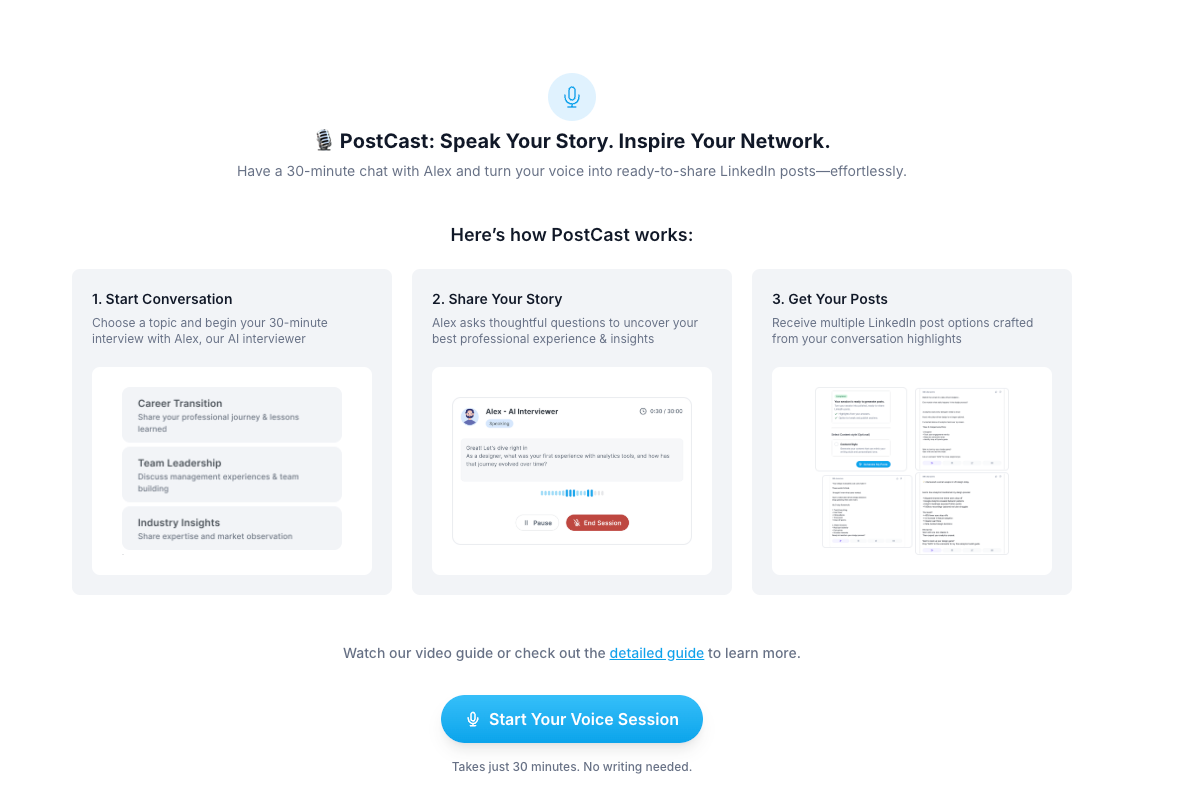
This is the one that changes the workflow entirely. Instead of staring at a blank page, you sit down for a 30-minute conversation with Alex, Supergrow's AI interviewer. Alex asks thoughtful questions about your professional experience, your perspective, your lessons learned. From that conversation, it generates multiple ready-to-edit LinkedIn posts.
The product details here matter. The loading screen says: "Grab a coffee. Your PostCast session is loading." That is a small thing, but it tells you the team was thinking about how the product feels to use, not just what it does. Good UX is in the details.

For founders and executives who have plenty to say but no patience for writing, PostCast is the killer feature. A 30-minute conversation and you walk away with a week of content. Nothing else in this price range offers that workflow.
Post Generator: Multiple ways in
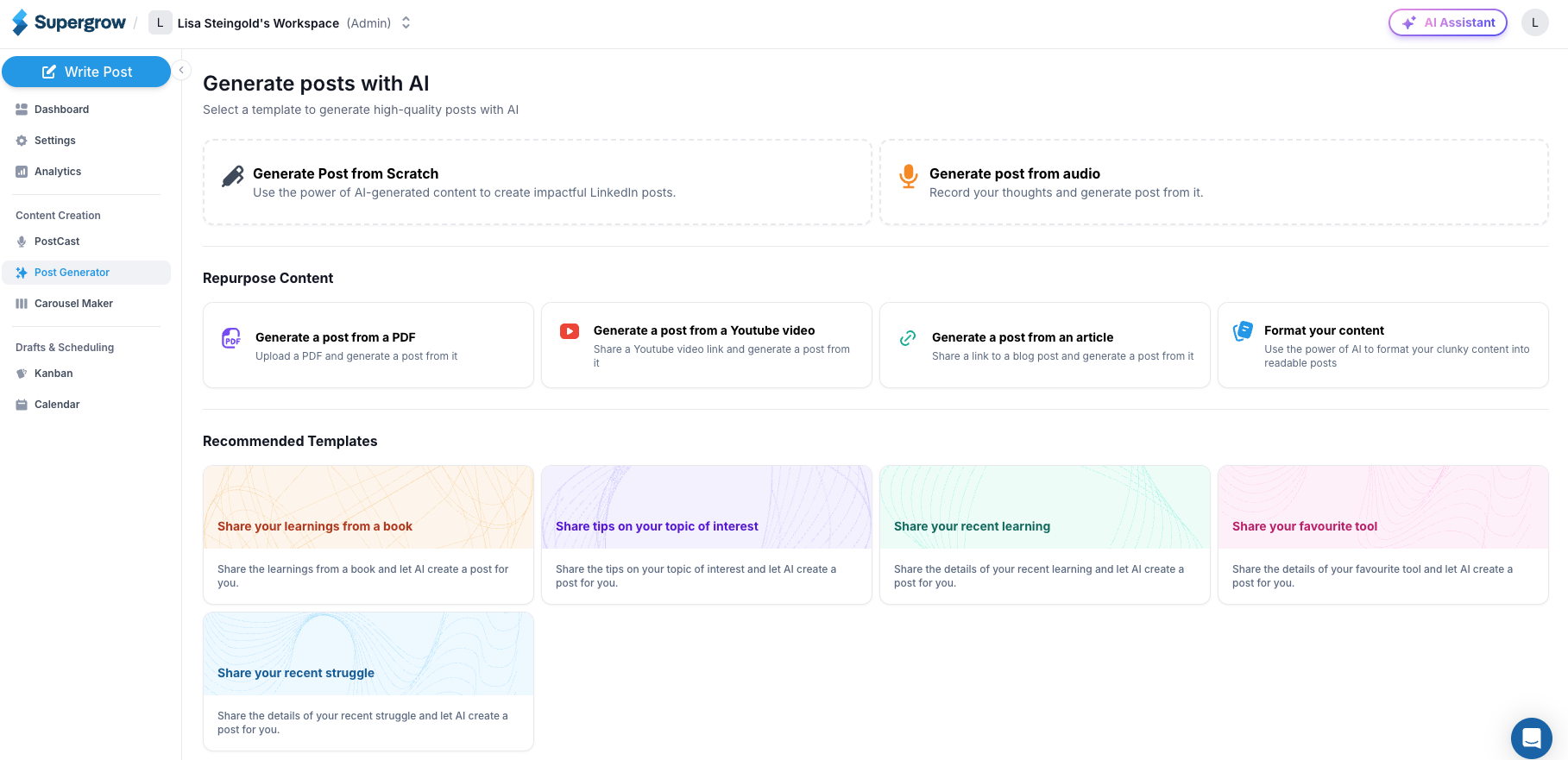
Beyond PostCast, the post generator gives you several entry points: generate from scratch, record audio and convert it into a post, repurpose a YouTube video, pull from a blog article or PDF, or use recommended templates like Share your recent struggle or Share learnings from a book.
The interface is clean and guides you without friction. Each option is clearly labeled. You can tell this was built by people who cared about the experience of creating, not just the output. That is not a given in this category.
Carousel Maker: Basically Canva, built in
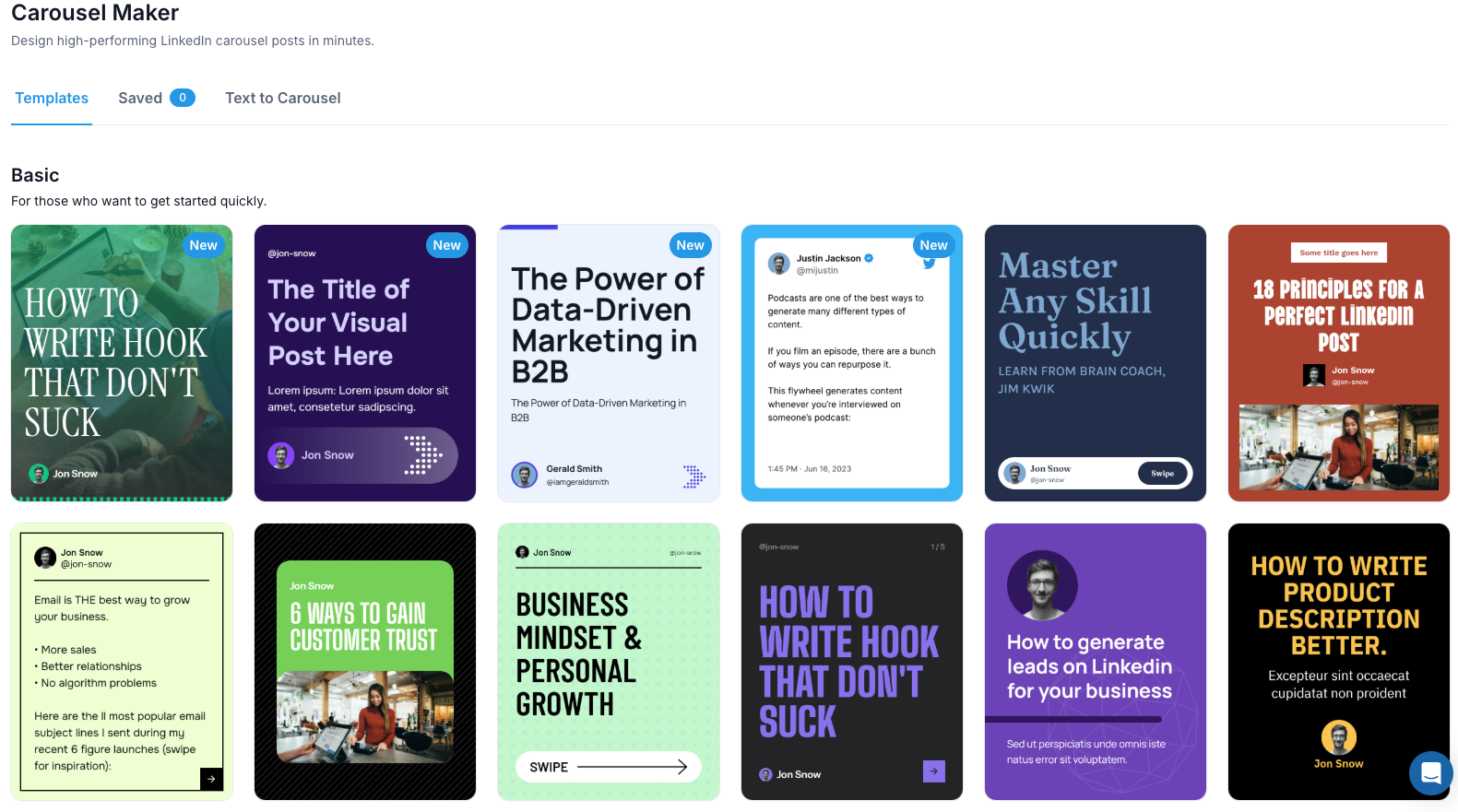
Walking into the carousel maker feels like stepping into a lightweight version of Canva. There is a solid template library covering bold typographic styles, clean professional layouts, tweet-style formats, and more. You pick a template, customize the text, and it publishes directly to LinkedIn.
For company and team accounts, there is a brand kit feature that stores your colors, logo, and fonts so they are automatically applied across every carousel you create. That is a meaningful time saver when you are managing content at volume.
The template range covers most use cases comfortably. For highly custom design work, you might still open Canva, but for 90% of what creators actually need, what Supergrow offers here is more than enough.
Scheduler: Calendar view and Kanban
The scheduling feature does what it needs to do, and the dual view is a genuinely smart call. You can switch between a traditional calendar and a Kanban-style board with columns for draft, scheduled, and published. It makes the content pipeline feel manageable rather than overwhelming.
The auto first-comment feature is a detail worth calling out. The first comment on a LinkedIn post meaningfully boosts algorithm reach, but adding it manually every time is one of those small tasks that consistently gets skipped. Supergrow handles it automatically.
Analytics: Functional, not deep
The analytics cover follower count, connections, impressions, and engagement rates. Pro users get a weekly report sent automatically.
The honest assessment: the data does not go meaningfully beyond what LinkedIn already tells you natively. If you are expecting audience intelligence, content attribution, or engagement trend analysis, it is not here.
For individual creators tracking broad progress, it is sufficient. For anyone who wants to make data-driven content decisions, it will feel thin pretty quickly.
Onboarding and support is solid
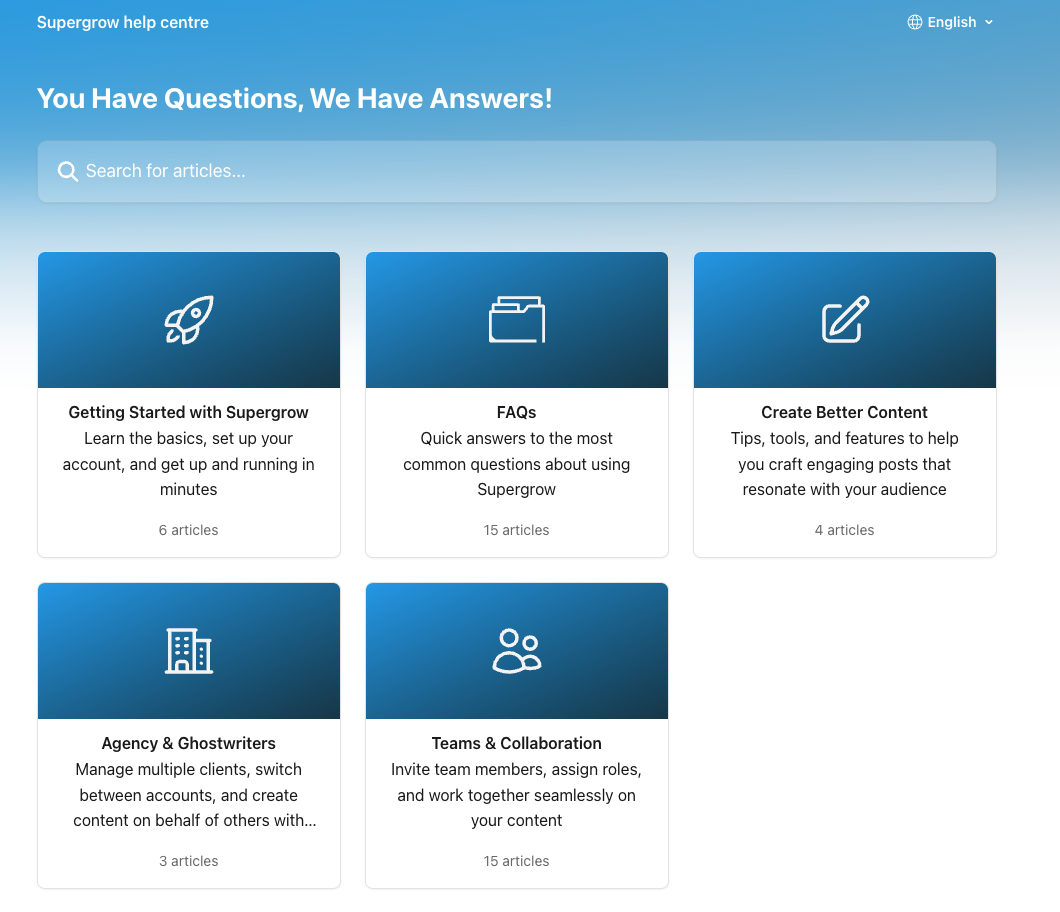
Onboarding is intuitive. The in-product flow guides you through setup without feeling like homework, and there is a selection of short tutorial videos available when you get stuck or need inspiration.
Support runs through a live chat helpdesk, and the response times are consistently fast. Across Product Hunt, G2, and other review platforms, support quality comes up repeatedly as a genuine strength. That matters more than people give it credit for, especially in the first few weeks of using a new tool.
Pros and Cons of Supergrow
What we liked
- PostCast changes the whole workflow. Talk for 30 minutes, come away with a week of content. Nothing else at this price point offers that.
- The interface is one of the best in this category. Polished, logical, and clearly built with the user experience in mind.
- The Kanban view for drafts and scheduling is a smart detail. Most tools offer a calendar and nothing else.
- No automation shortcuts. Official LinkedIn API, no ToS risk, and they are transparent about it.
- Support is fast and well-reviewed. The chat helpdesk actually responds quickly.
- The brand kit for team accounts means carousels stay on-brand without constant manual intervention.
- 7-day free trial with no credit card required. You can properly test it before committing to anything.
What we did not like
- Analytics are thin. Follower count and impressions is about as far as it goes, and that is what LinkedIn already shows you for free.
- LinkedIn only. If you are building a presence on X or other platforms, you are managing those separately.
- The Starter plan limits PostCast to 2 sessions. Given PostCast is the main reason to use the tool, that restriction feels like a significant bottleneck.
- No outreach or network expansion features. Supergrow is a content creation tool, full stop.
- Voice learning, while genuinely good, only captures how you write, not what you know. Your real depth of experience requires a human layer on top.
Supergrow Pricing
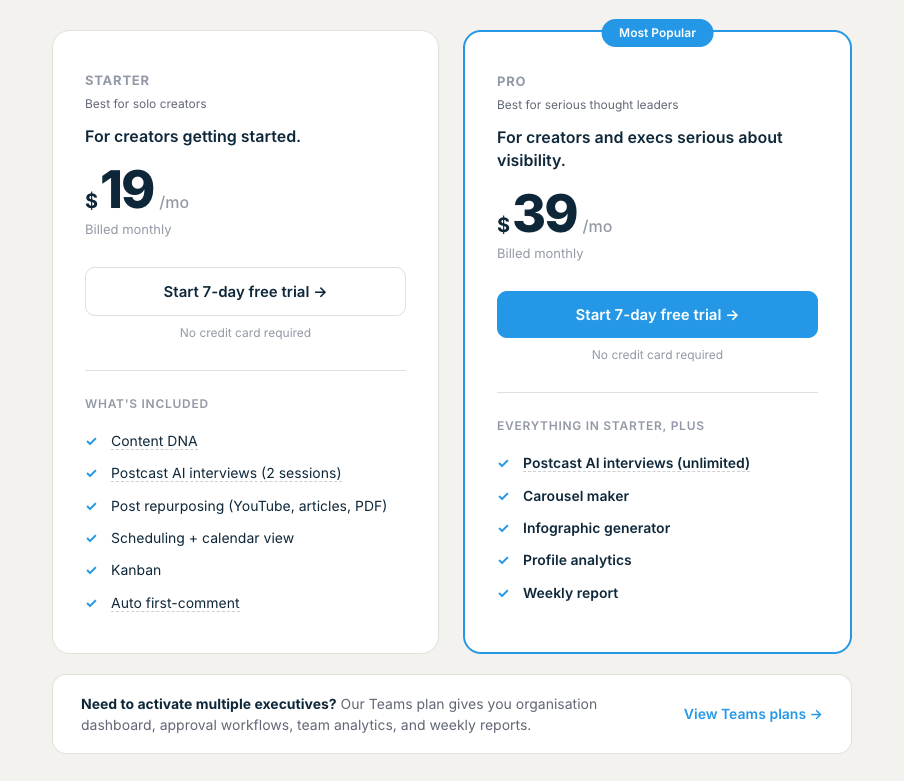
All plans include a 7-day free trial with no credit card required.
Starter: $19/month billed monthly, or $12/month billed annually. Includes Content DNA, post repurposing, scheduling, calendar view, Kanban board, auto first-comment, and 2 PostCast sessions.
Pro: $39/month billed monthly, or $24/month billed annually. Everything in Starter plus unlimited PostCast sessions, carousel maker, infographic generator, profile analytics, weekly report, and priority support.
Teams: $139/month for up to 4 accounts. Includes an organisation dashboard, approval workflows, team analytics, and a leaderboard to drive adoption across the team. Enterprise pricing available for larger organisations.
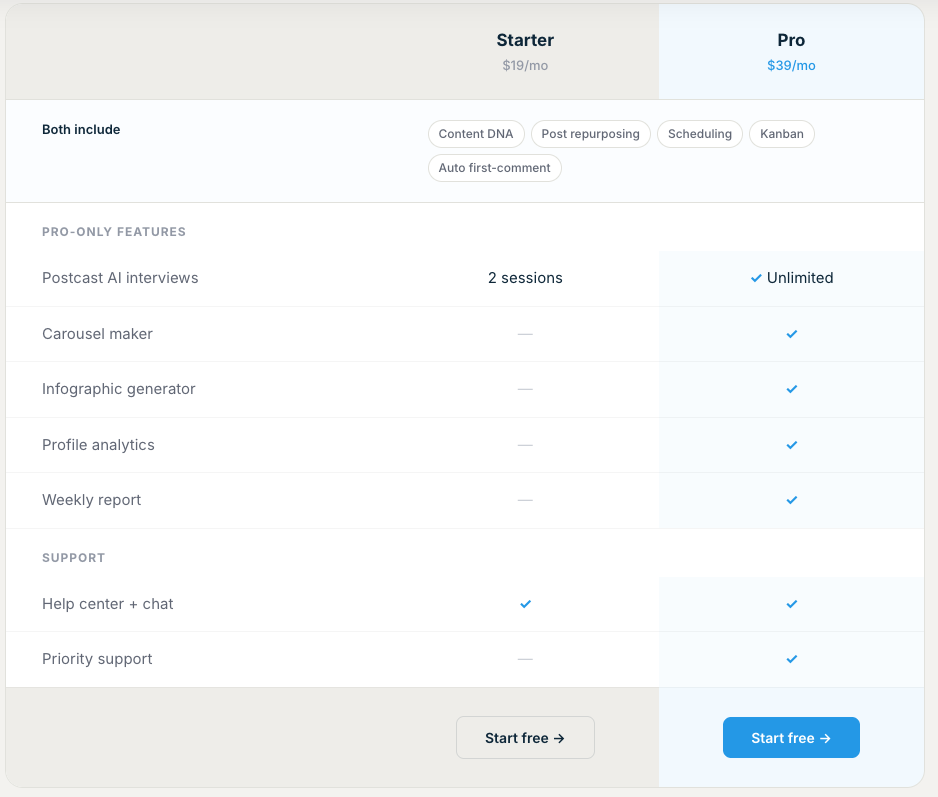
The 20% annual discount brings Pro down to $24/month.
For a serious creator, that is genuinely competitive. The jump to Teams is steep, but if you are managing multiple executives or client accounts, the approval workflow alone makes it worth considering.
Who Should Use Supergrow?
Supergrow is a strong fit if:
- LinkedIn is your primary channel and consistency has been the problem, not ideas
- You are a founder, consultant, or executive who thinks better out loud than in writing
- You are a ghostwriter or agency managing multiple client LinkedIn profiles
- LinkedIn ToS compliance matters to you and you want a tool that takes it seriously
- You want a clean, well-designed tool that does not require weeks of configuration
It is probably not the right fit if:
- Deep analytics and data-driven content decisions are core to your strategy
- You want a tool that learns from your broader knowledge base, not just your writing style
- You are on a tight budget and need the design features, which require the Pro plan
What Users Say About Supergrow
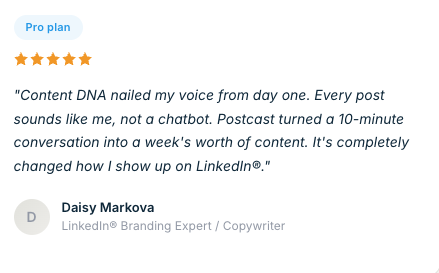
Users consistently highlight three things when reviewing Supergrow: the quality of the AI voice learning, the carousel maker, and the responsiveness of the support team.
On Product Hunt, one founder described it as a game-changer for creating and scheduling LinkedIn posts that actually sound like them. On G2, multiple reviewers credit PostCast specifically with replacing their entire content creation process.
The one area where critical feedback clusters is analytics. Several users note that the data does not go deep enough to inform a strategic content approach. That is consistent with what we found in testing.
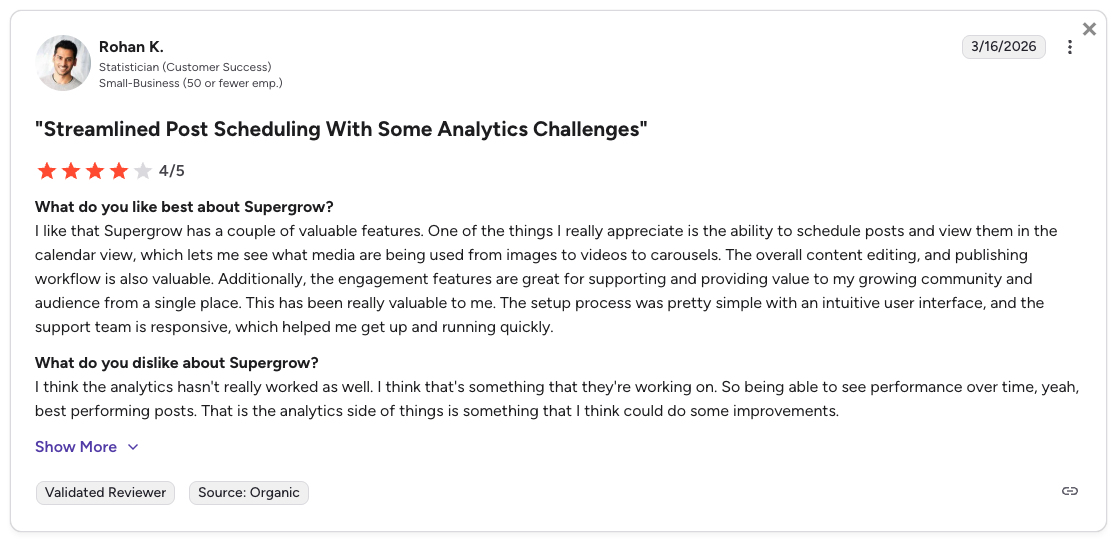
Check out Supergrow's reviews on G2
Final Verdict
Supergrow is a well-built tool that gets the important things right. The interface is clean and genuinely pleasant to use. PostCast is a fresh approach to content creation that solves a real problem for a specific type of creator. The carousel maker is solid. Support is excellent. And the pricing is fair.
The analytics limitation is real, and if you are a data-driven creator you will notice it. The LinkedIn-only scope is a natural constraint.
But for a founder, consultant, or ghostwriter who wants to show up consistently on LinkedIn without it becoming a second job, Supergrow delivers. Start on the Pro plan, since PostCast is the reason you're here, and the Starter limit of 2 sessions will feel restrictive in the first month.
One thing we miss is the personal coaching that helps scale LinkedIn content, which comes with Lara Acosta and Kleo, which is the reason that most content creators post on LinkedIn.
Frequently Asked Questions
Is Supergrow worth the money?
For most LinkedIn-focused creators, yes. At $19 to $39 per month, the feature set is competitive. PostCast alone can save several hours a week if you are someone who thinks better in conversation than at a keyboard. The 7-day free trial means there is no reason not to test it before committing.
Is Supergrow safe for your LinkedIn account?
Yes. Supergrow connects through LinkedIn's official API and explicitly avoids any automation behaviour that could trigger account restrictions. They are one of the more transparent tools in this space about ToS compliance, which puts them ahead of competitors who are vague about how they connect to LinkedIn.
What is Supergrow used for?
Primarily for LinkedIn content creation, carousel design, scheduling, and light analytics. The main use cases are: writing posts in your voice using Content DNA, turning conversations into posts using PostCast, repurposing existing content from videos, articles, or PDFs, building and scheduling a content calendar, and for teams, managing multiple profiles through an approval workflow.
How does Supergrow compare to Taplio?
Taplio is more analytics-heavy and has a larger content inspiration database. Supergrow is cleaner, more focused on the content creation workflow, and has PostCast, which Taplio has no equivalent of. Taplio starts at $39/month and scales up considerably. Supergrow is more accessible at the entry level, and for most individual creators the trade-off favours Supergrow.
What is the difference between Supergrow Starter and Pro?
The biggest gaps are PostCast (2 sessions on Starter, unlimited on Pro), the carousel maker (Pro only), the infographic generator (Pro only), profile analytics (Pro only), the weekly report (Pro only), and priority support (Pro only). If PostCast is the main reason you are looking at Supergrow, the Starter plan will feel limiting very quickly. Pro is the plan that makes sense.
Can Supergrow replace ChatGPT for LinkedIn content?
It can replace the blank-page problem that most people use ChatGPT for. The meaningful difference is that Supergrow's output is shaped by your Content DNA and PostCast interviews rather than a generic prompt. The result needs less editing to sound like you. That said, your specific anecdotes, opinions, and knowledge still need to come from you. Supergrow helps you structure and voice it. It cannot manufacture the substance.