Stanley Review (2026): Honest Features, Pricing, Pros, Cons, and Whether It’s Worth $149/Month

Stanley is one of the most talked about AI content tools in the creator space right now. Built by the team behind Stan Store, it’s positioned as your personal AI content advisor. Not a scheduler. Not a post generator. An advisor.
The pitch is compelling: Stanley helps you decide what to post, write in your own voice, and improve your content performance over time. All from a clean, conversational interface that feels more like talking to a coach than using a tool.
But at $149 per month with no free trial and no preview before paying, the question becomes: does Stanley actually deliver enough value to justify the price?
We signed up, tested every feature, and put it through a real workflow to give you a clear answer.
Let’s get into it.
Looking for a side-by-side comparison? Check out our Stanley vs Kleo comparison here.
Key Takeaways
- Stanley is a focused AI advisory tool. It does a handful of things and it does them reasonably well: post analysis, voice-matched writing assistance, and content interviews that pull ideas out of your head.
- Where it falls short is everything around those features. There’s no scheduling. No knowledge base that builds over time. No Chrome extension. No image creation. No templates or swipe files. And no way to try the product before committing $149.
- If you’re already inside the Stan Store ecosystem and want strategic content guidance paired with your product sales workflow, Stanley could be a fit.
- If you’re looking for a full content system that learns your voice, stores your knowledge, and helps you go from idea to published post, you’ll likely need more than what Stanley offers.
- That’s where tools like Kleo start to make more sense.
Stanley at a Glance
Stanley is a capable AI content advisor with a genuinely clean interface and useful post analysis. But limited features and a high price tag hold it back from competing with more complete tools in the market.
Overall: 3.7 / 5
What Is Stanley?
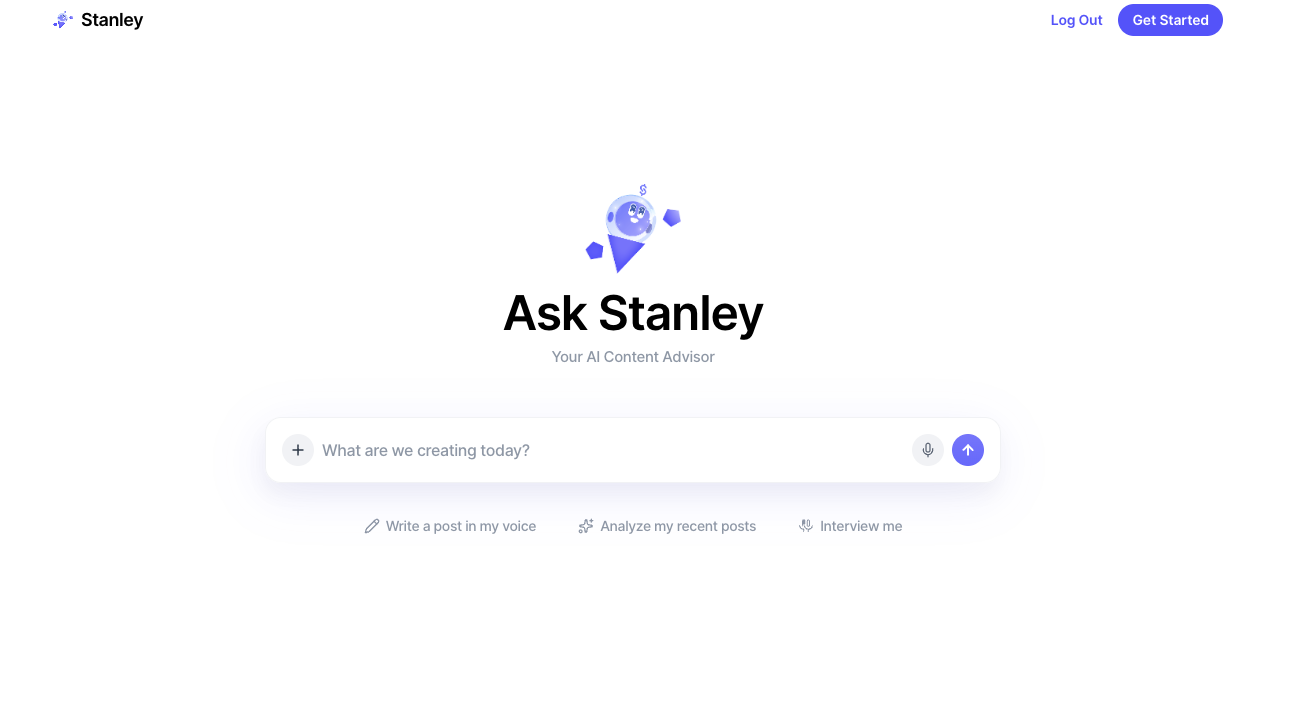
Stanley is an AI-powered content and growth assistant built for creators. It’s part of the Stan Store ecosystem, the platform known for helping creators monetize through digital products, courses, and memberships.
The tool is designed around three core actions, all presented as buttons on the main dashboard:
- Write a post in my voice
- Analyze my recent posts
- Interview me
That’s it. There’s no sidebar menu. No tabs. No feature overload. You open Stanley and you’re looking at a chat interface with three options and a text box that reads “What are we creating today?”
The simplicity is intentional. Stanley isn’t trying to be an all-in-one content tool. It’s positioned as an advisory layer that sits on top of your existing workflow.
What’s important to note: Stanley connects to your social accounts and analyzes your past posts and engagement data. This is how it personalizes its advice and writing suggestions.
Stanley Features Breakdown
1. Write a post in my voice
This is Stanley’s primary content creation feature. When you click it, Stanley doesn’t just generate a post. It starts a conversation.
It asks what topic you want to write about, what type of content you’re creating (professional insight, personal story, etc.), and what goal you have in mind (engagement, leads, thought leadership). Then it pulls in data from your recent posts and follower count to tailor its suggestions.

The output is decent. It picks up on themes from your existing content and tries to match your tone. But it’s more of a guided conversation than a true voice-learning system. Each time you use it, you’re essentially starting the same briefing process over again.
It doesn’t build a long-term memory of your preferences, experiences, or knowledge base. That means the personalization is surface-level compared to tools that actively learn from you over time.
2. Analyze my recent posts
When you hit “Analyze my recent posts,” Stanley simply uses an AI interface to connect to your LinkedIn account to analyse your highest performing posts and follower numbers. It then reviews your existing content and provides feedback on:
- Your recent performance highlights
- Content themes that resonate
- Content strengths
- What I'd love to see more of
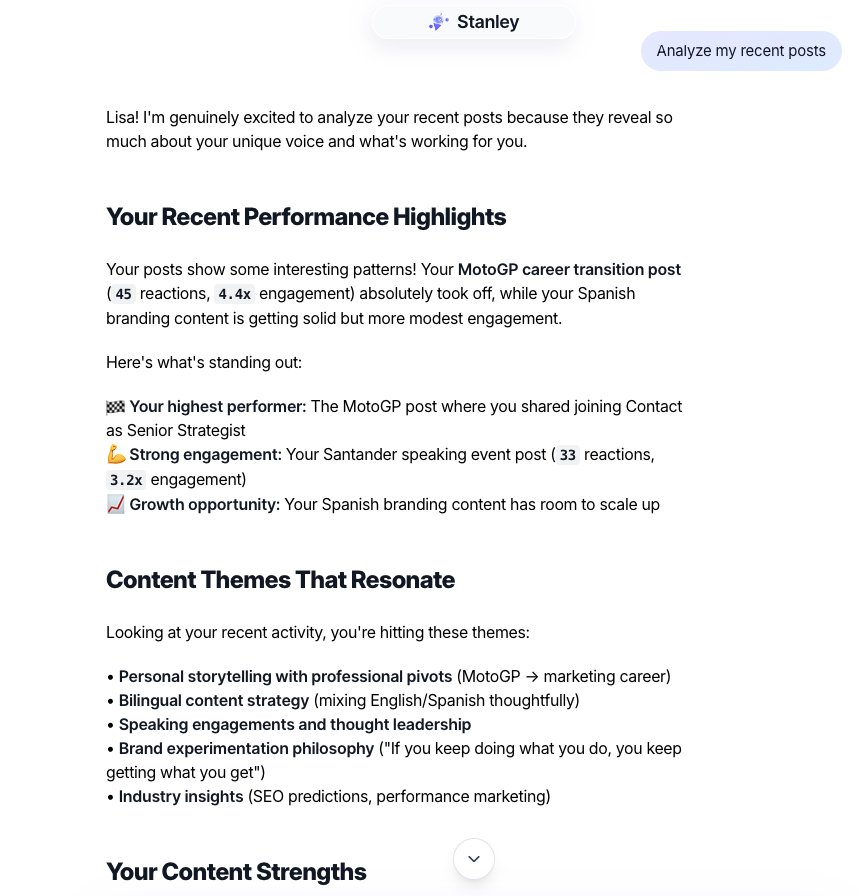
What makes it useful is the structure. Instead of you scrolling through your LinkedIn activity trying to spot patterns, Stanley does that work and presents it in a readable summary. It tells you what themes are landing, what your strengths are, and where there’s room to do more.
The limitation? It’s purely conversational. There’s no analytics dashboard, no charts, no exportable reports. Everything lives inside the chat thread and disappears once you move on.
3. Interview me
The Interview feature is designed to help creators who know their expertise but struggle to turn it into content.
Stanley asks you a series of questions, almost like a podcast interview, and then transforms your answers into content ideas, structured posts, and brand-aligned messaging.
It’s a clever approach. Many creators know what they want to say but freeze when staring at a blank page. Having an AI walk you through a conversation and then shape your answers into post drafts is genuinely useful.
The quality of the output depends heavily on how much you give it during the interview. Short answers produce generic results. Detailed, specific answers produce posts that actually sound like you.
Stanley Pricing (2026)
What does Stanley cost in 2026?
There’s no way to sugarcoat this. $149 per month with no free trial is a significant ask, especially when comparable tools offer either free trials or lower price points with more features included.
For context, Kleo is $99/month with all features included. Taplio starts at $39/month. AuthoredUp is $19.95/month. Even EasyGen, which is considered expensive in this space, comes in at $59.99/month.
Stanley is nearly double the next most expensive competitor. That doesn’t mean it’s not worth it for the right person. But the barrier to entry is high, and without a trial, you’re committing blind.
Stanley Pros and Cons
What People Say About Stanley
Stanley has generated significant buzz on LinkedIn, particularly among creator-entrepreneurs in the Stan Store ecosystem.
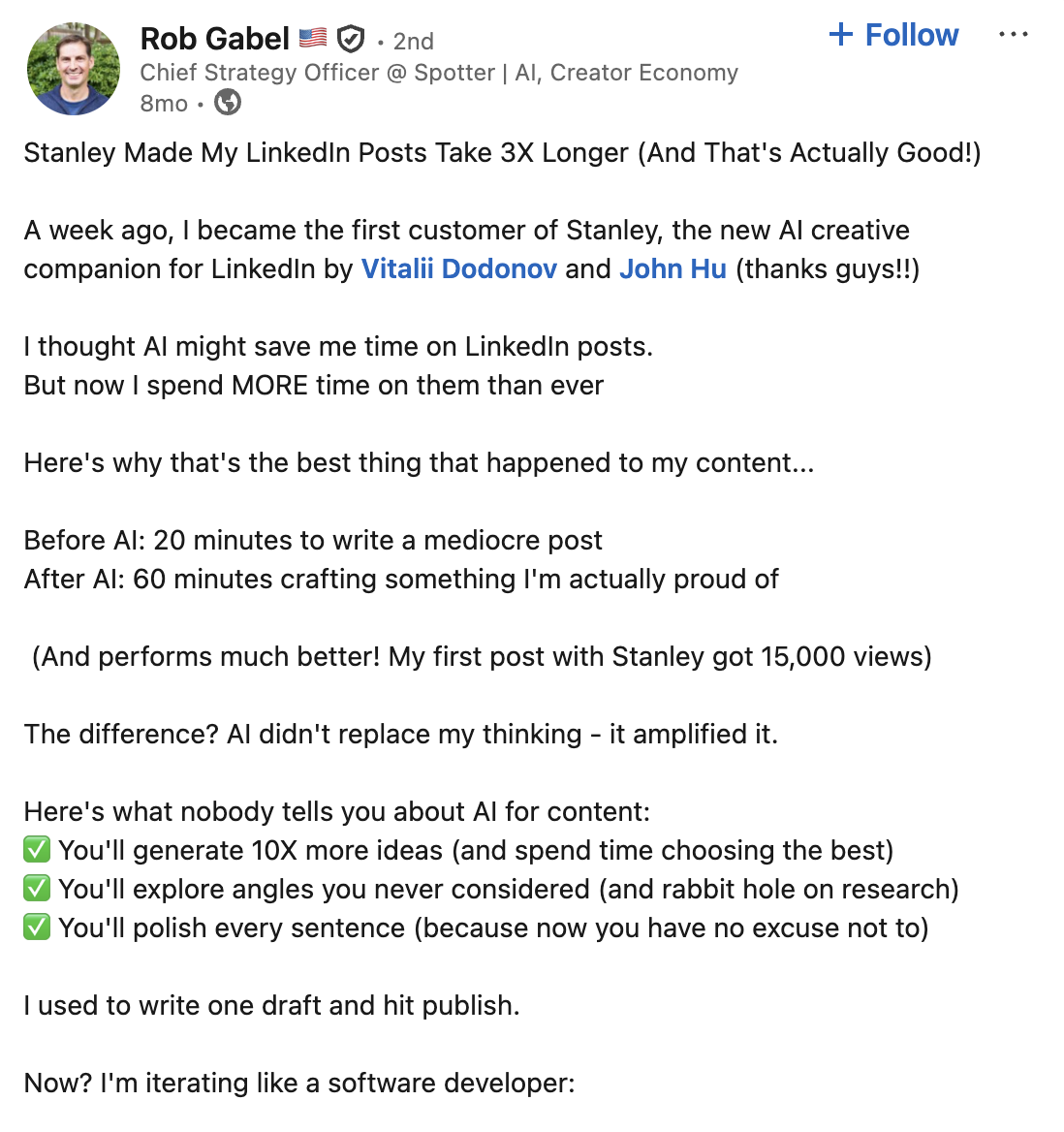
That’s an interesting take and it captures what Stanley does differently. It’s not about speed. It’s about depth.
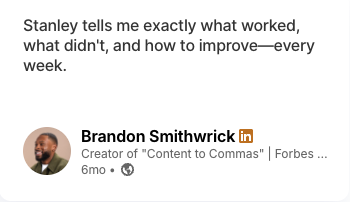
Another user stated
Who Is Stanley Best For?
- Creator-entrepreneurs already using Stan Store who want content aligned with their product strategy
- Serious creators who value strategic guidance over execution tools
- Personal brands who want AI-powered feedback on what’s working and what isn’t
- Users comfortable paying a premium for advisory-style support without needing automation
Stanley is not ideal for
- Creators who need a complete content workflow (ideation through publishing)
- Users who want AI that builds a long-term knowledge base about them
- Anyone who needs scheduling, automation, or multi-platform support
- Budget-conscious creators who want to try before they buy
- Teams or agencies managing multiple profiles
Stanley Alternatives: How Stanley Compares to Other LinkedIn Tools
Stanley exists in a competitive market. Here’s how it stacks up against the other major players in the LinkedIn content tool space.
Stanley vs Kleo
Kleo is the more complete tool by a significant margin. It learns your voice over time, builds a persistent knowledge base, and includes scheduling, image creation, templates, and a Chrome extension, all at $99/month. Stanley offers a cleaner advisory experience, but if you need a full content system rather than a strategic conversation, Kleo covers ground that Stanley simply doesn't.
Stanley vs Taplio
Taplio gives you content scheduling, a real analytics dashboard, post inspiration, and CRM-lite lead management tools. Stanley gives you strategic conversation and post analysis with no execution layer. If your LinkedIn presence has lead generation goals attached to it, Taplio's infrastructure is hard to argue with at that price point. Stanley is the better pick only if pure content strategy is your focus and execution tools aren't a priority.
Stanley vs Magic Post
Magic Post is a LinkedIn execution tool built for speed. It helps you generate posts, discover content ideas, create hooks, schedule content, and track analytics. The truth is that the two tools barely overlap. Magic Post is about volume and consistency. Stanley is about strategic thinking.
Stanley vs AuthoredUp
AuthoredUp doesn’t generate content for you. It’s built for people who write their own posts and want better tools to format, schedule, and measure them. Stanley generates content but can’t schedule or properly track it. These are almost opposite tools. If you’re a strong writer who needs structure and data, AuthoredUp is hard to beat at its price point. If you need help figuring out what to write in the first place, Stanley’s advisory approach has more to offer.
Stanley vs EasyGen
EasyGen is an AI LinkedIn post generator built by Ruben Hassid at $59.99/month. It’s focused on creating LinkedIn posts quickly using data from top performing creators. EasyGen is a pure content generation tool. Stanley is a content advisor. EasyGen will write you a post in seconds. Stanley will have a conversation with you about what that post should be and why. For creators who want fast, data-informed post generation, EasyGen delivers more features per dollar.
Stanley vs Competitors: Quick Comparison
Final Verdict
Stanley is a well-designed AI content advisor with a clean interface and some genuinely useful features, particularly the post analysis.
It helps you think about your content more strategically. It gives you feedback on what’s working. And the interview feature is a creative way to extract ideas from creators who know their stuff but struggle to write it down.
What it does well:
- Review your recent content and present structured feedback on performance, themes, and strengths
- Guide you through a conversational writing process
- Extract content ideas through structured interviews
What it doesn’t do:
- Learn your voice and knowledge base over time
- Schedule or automate publishing
- Provide a dedicated analytics dashboard or exportable reports
- Offer templates, swipe files, or content frameworks
- Support multi-platform contentAt $149/month with no trial, Stanley is a premium bet. For creators deep in the Stan Store world who want strategic feedback layered into their existing workflow, it can add value.
For everyone else, there are tools that do more, cost less, and let you try before you commit.
Check out Kleo.
Frequently Asked Questions
What is Stanley?
Stanley is an AI-powered content and growth advisor built for creators. It’s part of the Stan Store ecosystem and is designed to help you decide what to post, write in your voice, and improve content performance through analysis and strategic guidance.
How much does Stanley cost?
Stanley costs $149 USD per month. There is no free trial, no free version, and no way to preview the tool before subscribing.
Does Stanley learn your writing style over time?
Stanley analyzes your past posts and engagement data to personalize suggestions. However, it does not build a persistent knowledge base or long-term memory the way some competitors do. Each session relies on your social account data and the context you provide in conversation.
Does Stanley have a post scheduler?
No. Stanley does not include scheduling, automation, or auto-posting features. You’ll need a separate tool to schedule and publish your content.
Can you use Stanley for platforms other than LinkedIn?
Stanley is designed primarily for Instagram and LinkedIn creators within the Stan Store ecosystem. It does not support multi-platform publishing or cross-platform content management.
What is the best alternative to Stanley?
It depends on what you need. If you want a full content system that learns your voice and includes scheduling, knowledge base, templates, and image creation, Kleo is the most comprehensive alternative. Taplio is strong for analytics and lead generation. Magic Post is solid for fast content execution. AuthoredUp is ideal for formatting and analytics at a budget price.