AuthoredUp Review 2026: An Honest Look at Features + Pricing
AuthoredUp review based on hands-on testing. Covers features, pricing, pros and cons, and how it compares to other alternatives.
If you spend any time creating content on LinkedIn, you've probably come across AuthoredUp.
It's one of the more established LinkedIn writing tools on the market. Over 2,000 companies use it, and it carries a 4.8 star rating on the Chrome Web Store. But ratings and company logos don't tell the whole story.
We tested and reviewed AuthoredUp ourselves to see what it actually delivers. This review covers every major feature, how the pricing works, what it does well, and where it falls short.
If you're trying to decide whether AuthoredUp is the right tool for your LinkedIn workflow, this should give you everything you need.
Looking for a side-by-side comparison? Check out our Authored Up vs Kleo comparison.
Key Takeaways
- AuthoredUp is a LinkedIn writing and formatting tool, not a full content assistant. It helps you structure and polish posts, but it won't write them for you. If you want AI that drafts posts in your voice, you'll need to look elsewhere.
- The formatting and preview features are best in class. Seeing exactly how your post looks on desktop, tablet, and mobile before you hit publish is genuinely useful. This is where AuthoredUp earns its reputation.
- Scheduling and a content calendar are now included. AuthoredUp has added scheduling functionality, which addresses one of the biggest gaps users flagged in earlier versions.
- It's LinkedIn only. If you're building a presence across multiple platforms, AuthoredUp won't help you outside of LinkedIn.
- At $19.95 per month, it's affordable but limited. You get solid formatting and analytics. You don't get AI writing, personalization, or multi-platform support.
What Is AuthoredUp?
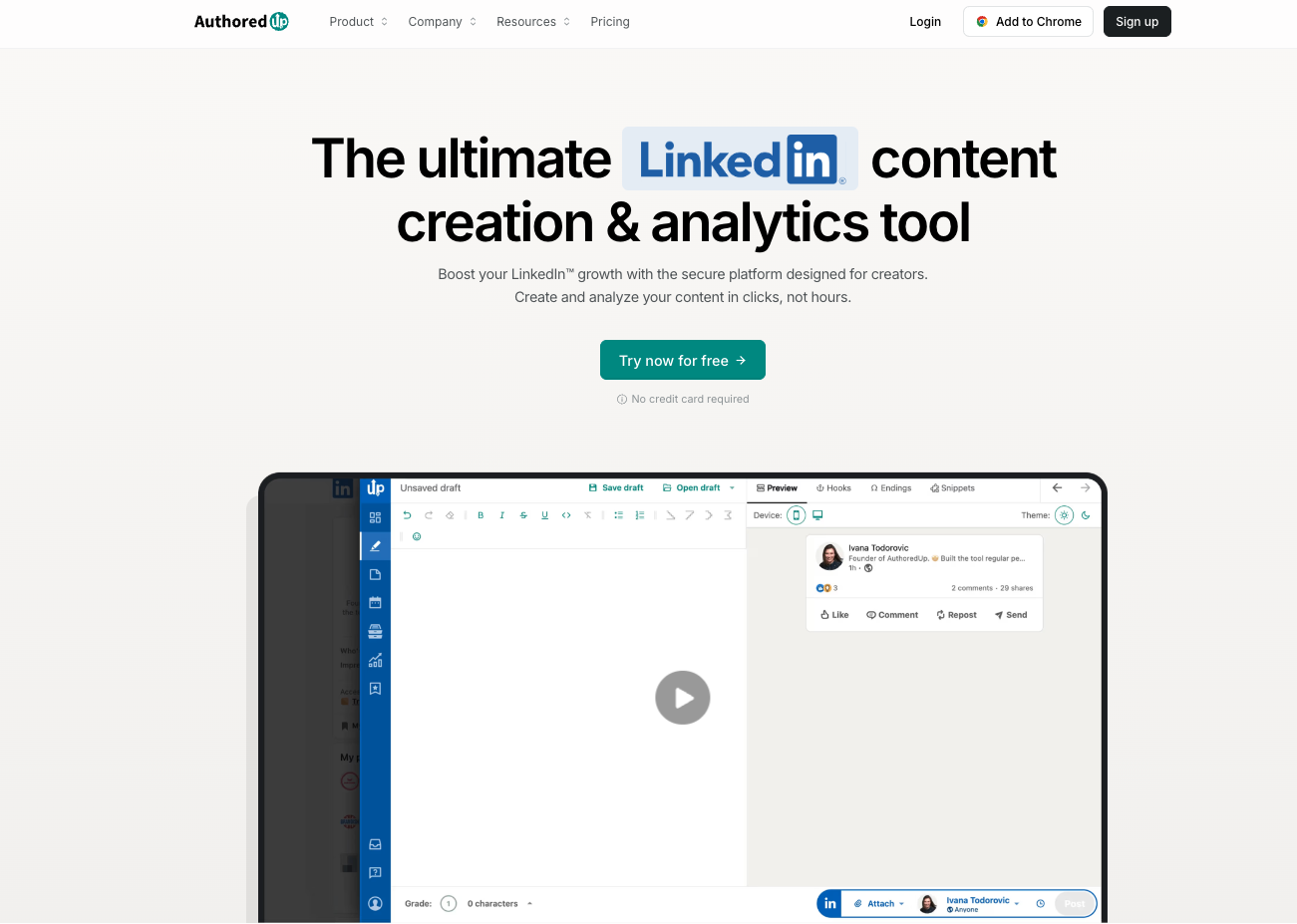
AuthoredUp is a LinkedIn focused content creation and analytics platform. It's available as a Chrome extension that works directly inside LinkedIn's interface.
Think of it as a writing layer. You open LinkedIn, and AuthoredUp upgrades the native composer with better formatting options, hook templates, preview tools, and analytics.
The platform positions itself as a writing improvement tool, not an AI content assistant. You still need to write your posts. AuthoredUp helps you structure, format, and optimize them.
AuthoredUp at a glance
AuthoredUp Features
AuthoredUp is built around a focused set of features that cover writing, formatting, scheduling, and analytics. Here's what each one actually does.
Advanced post editor and formatting
The editor gives you formatting control that LinkedIn's native composer doesn't offer. Bold, italic, bullet points, numbered lists, emojis from an organized picker, and strategic line breaks for readability.
You also get real time metrics: character count, word count, estimated reading time, and a readability score that tells you if your writing is accessible to a broad audience.
The readability score is a nice touch. It calculates the grade level of your writing, aiming for grade 8 or lower. Simple writing tends to perform better on LinkedIn, and this keeps you honest.
What it doesn't do: generate content for you. You write every word. If you want AI help drafting posts, you'll need a separate tool.
Multi device post preview
This is the feature AuthoredUp users talk about most.
Before you publish, you can see exactly how your post will look on desktop, tablet, and mobile. You can see where the "see more" cutoff appears, which is critical for hooks.
LinkedIn displays content differently across devices. A hook that works on desktop might get cut off on mobile. AuthoredUp lets you catch that before you publish, not after.
For anyone serious about LinkedIn content, this alone saves time and embarrassment.
Hook and CTA templates
AuthoredUp includes 200+ hook templates and 150+ CTA templates, available in English, German, and Dutch.
When you're stuck on an opening line, you can browse hooks organized by category. Same for endings. Pick one, customize it, and move on.
The AI generated hook feature adds another layer. It creates hooks based on prompts, which can speed things up when you're batching content.
Fair warning: template hooks can start to feel formulaic. LinkedIn is saturated with similar patterns. These are solid starting points, but you'll want to adapt them to sound like you.
Scheduling and content calendar
AuthoredUp now includes scheduling and a content calendar. This is a notable addition that addresses one of the biggest pieces of feedback from earlier users.
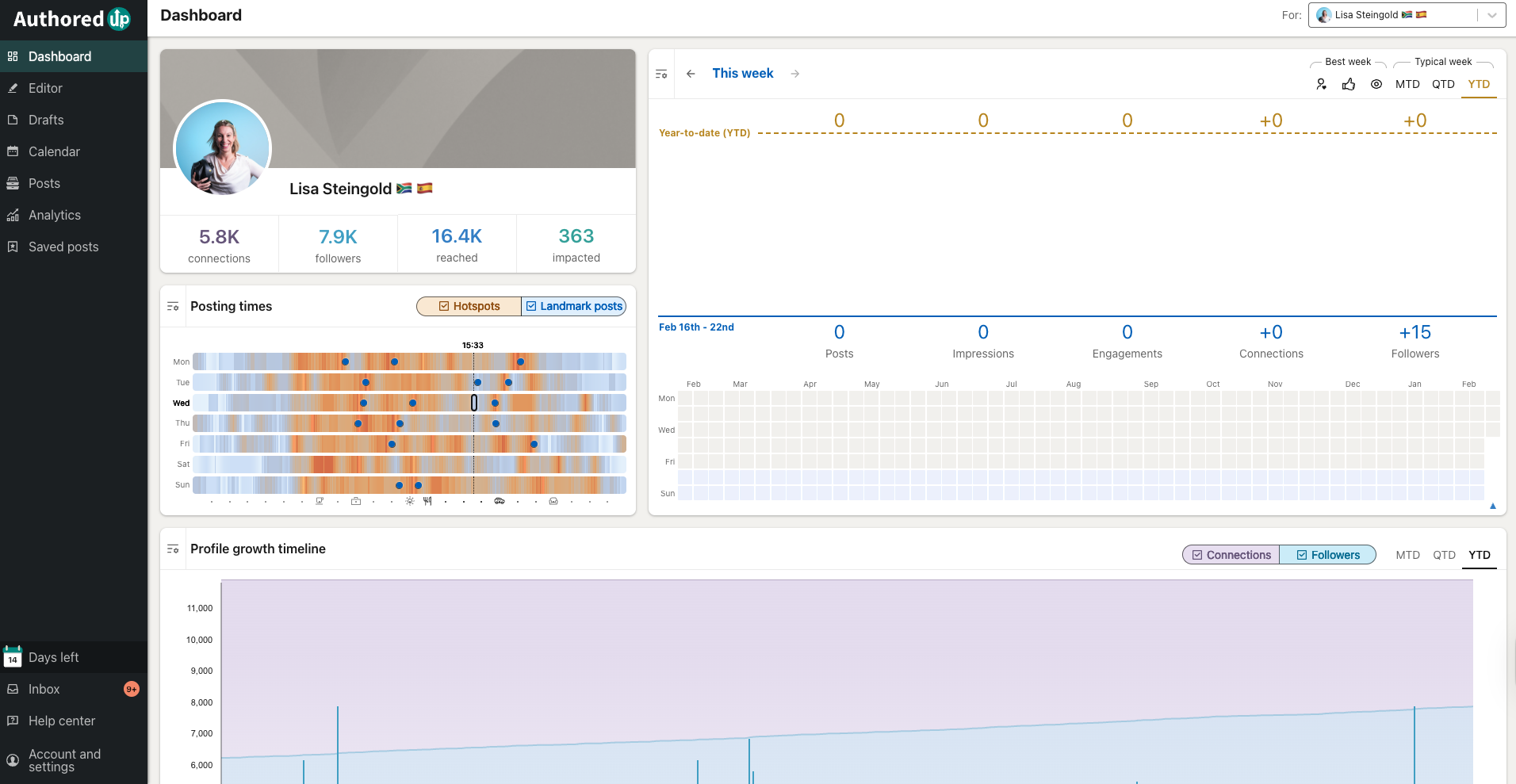
You can plan posts on a visual calendar, schedule them for specific dates and times, and see your content strategy at a glance. The tool also provides best time to post recommendations based on your data.
For solo creators managing their own publishing, this removes the need for a separate scheduling tool.
Analytics
AuthoredUp's analytics go well beyond what LinkedIn offers natively.
You get full post history, impression tracking, engagement rate breakdowns, profile growth timelines, top performing post identification, and the ability to compare posts side by side.
The comparison feature is particularly useful. Place two similar posts next to each other and see exactly what drove different outcomes.
You can also export data to CSV and access analytics via API on higher plans, which is helpful if you want to do deeper analysis externally.
Drafts management and saved posts
AuthoredUp provides a centralized drafts system with unlimited storage, labels, and tags. On the Business plan, teams can share drafts for feedback and collaborate before publishing.
The saved posts feature lets you organize every LinkedIn post you've saved (even posts saved before installing AuthoredUp) into a searchable library with keyword filtering and CSV export.
Both features work smoothly and solve real organizational headaches for active LinkedIn creators.
Help center and onboarding
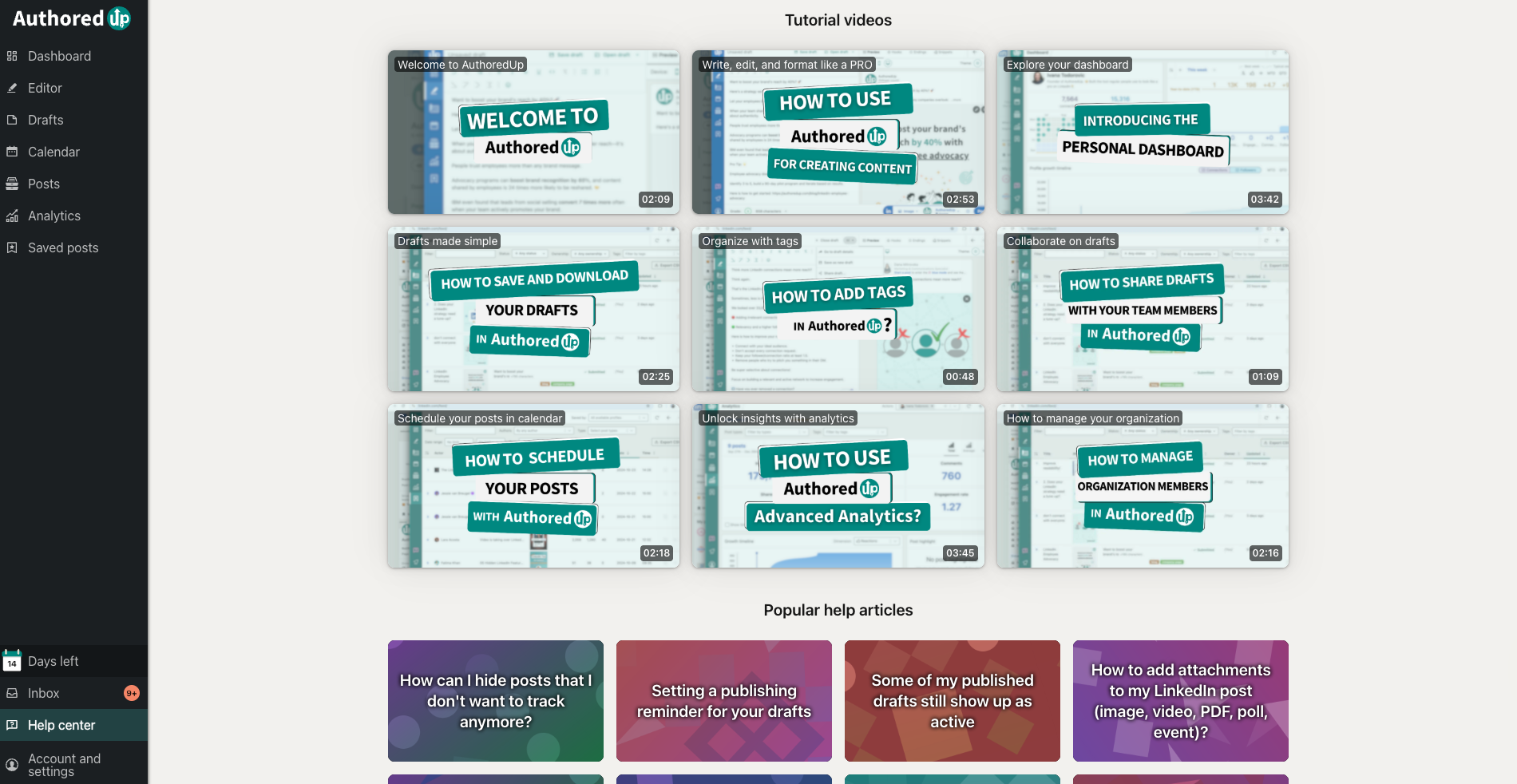
AuthoredUp's help center is packed with useful videos, tutorials, and articles. If you're the type of person who wants to learn the tool thoroughly before diving in, the resources are comprehensive.
The dashboard opens within LinkedIn once you've connected the tool, so there's minimal context switching. Setup is straightforward.
AuthoredUp Pricing
At $19.95 per month, AuthoredUp is one of the more affordable LinkedIn tools available. The 14-day free trial with no credit card required makes it low risk to test.
The Business plan at $14.95 per profile is competitive for teams, though the minimum of 3 profiles means you're spending at least $44.85 per month to get started.
Worth noting: you're paying for formatting, templates, scheduling, and analytics. You're not getting AI writing assistance or personalization to your unique voice - but at that price you may want to pair with another tool.
AuthoredUp Pros and Cons
What Users Say About AuthoredUp
AuthoredUp has strong user sentiment across the Chrome Web Store (4.8 stars) and the broader LinkedIn creator community. The tool is particularly popular among high-volume LinkedIn creators who value formatting precision and analytics depth.
Richard van der Blom, Founder and CEO at Just Connecting: “The best LinkedIn tool on the block at the moment? AuthoredUp! The all-in-one Content Creation tool, with formatting, drafts, previews, hooks, endings, snippets and analytics to step up your content game.”

Users with large followings consistently highlight the analytics as a major value driver. Being able to see what’s working across thousands of posts helps inform content strategy in a way that LinkedIn’s native insights simply can’t match.
The multi-device preview is another frequently praised feature. Creators say it saves time and prevents formatting issues that would otherwise hurt engagement.
Common criticism centers on the lack of AI content generation. Several users note that they still need external tools for the actual writing of content, then use AuthoredUp for formatting and publishing.
For creators who want a single tool that does everything, Kleo may be a better choice,
AuthoredUp Alternatives: How AuthoredUp Compares to Other LinkedIn Tools
AuthoredUp sits in a crowded market, but it occupies a fairly unique position. Here's how it stacks up against the most common tools people consider alongside it.
AuthoredUp vs Kleo
These tools approach LinkedIn content from fundamentally different angles.
AuthoredUp is a writing and formatting assistant. It helps you polish posts you've already written, with strong preview tools and analytics.
Kleo is a personalized AI social media assistant. It learns your writing style, trains on your knowledge base (call transcripts, notes, blog posts, podcast transcripts), and generates content that sounds like you wrote it.
With Kleo, you get AI post writing with image creation, a knowledge base that learns about you, swipe files, trending research, and scheduling. It's designed to be your thought partner, not just a formatting layer.
AuthoredUp is better if you want to do all the writing yourself and just need formatting and structure help. Kleo is better if you want an AI assistant that learns your voice and helps you create better content faster.
AuthoredUp vs Stanley
Stanley is an AI content advisor priced at $149 per month with no free trial. It’s built around three features: writing posts in your voice, analyzing your recent posts, and interviewing you to extract content ideas. Stanley generates content through conversation. AuthoredUp doesn’t generate content at all. These are almost opposite tools.
AuthoredUp gives you formatting, scheduling, and analytics at $19.95 per month. Stanley gives you AI advisory at $149 per month. If you’re a strong writer who needs structure and data, AuthoredUp is hard to beat.
AuthoredUp vs Taplio
Taplio is a LinkedIn growth tool that leans more heavily into automation and lead generation than AuthoredUp does.
Where AuthoredUp focuses on writing quality and formatting, Taplio focuses on content generation, scheduling automation, and prospecting features. Taplio includes AI writing, content inspiration from viral posts, and CRM style lead management.
AuthoredUp has stronger formatting and preview tools. Taplio has broader automation and lead generation capabilities.
If you want a writing focused tool with great formatting, AuthoredUp fits. If you want a broader LinkedIn growth platform with AI and prospecting, Taplio may be more your speed.
AuthoredUp vs MagicPost
Magic Post is an AI powered LinkedIn content creation tool starting at $39 per month. It generates posts, discovers content ideas, creates hooks, schedules content, and tracks analytics.
Unlike AuthoredUp, Magic Post writes posts for you using AI. AuthoredUp has superior formatting and preview tools, while Magic Post has content generation and idea discovery that AuthoredUp lacks. Some creators use both: Magic Post for generating drafts, AuthoredUp for formatting and polishing before publishing.
AuthoredUp vs EasyGen
EasyGen is a Chrome extension AI post generator at $59.99 per month, built on data from top performing LinkedIn creators. Like AuthoredUp, it runs as a Chrome extension. Unlike AuthoredUp, it generates posts rather than formatting them. AuthoredUp offers formatting, scheduling, and analytics. EasyGen offers AI generation and trending topics.
These tools complement each other more than they compete. If budget allows, some creators use EasyGen for generation and AuthoredUp for formatting and analytics.
Final Verdict
AuthoredUp is a solid tool for what it does. If you want to improve the way your LinkedIn posts look, structure your hooks, preview across devices, and track performance, it delivers.
The formatting tools and multi device preview are genuinely best in class. The addition of scheduling rounds out the workflow nicely. And at $19.95 per month with a free trial, the barrier to entry is low.
What it does well:
It does formatting and rich text editing that LinkedIn’s native composer can’t match. Multi-device preview that no other tool offers. Comprehensive analytics with post comparison and data export. Scheduling and content calendar. 200+ hook templates and 150+ CTA templates. An affordable price point with a generous free trial.
What it doesn’t do:
- AuthoredUp won't write posts for you. It's not an AI writing assistant.
- It won't learn your voice or personalize content.
- It also won't support content creation outside LinkedIn or create images or carousels.
- It doesn't build a knowledge base over time.
If you’re a LinkedIn creator who enjoys writing and wants better formatting tools, AuthoredUp is a strong pick. If you want a personalized AI assistant that learns your voice, helps you ideate, and creates content across social media, a tool like Kleo is a better fit.
If you want a thinking partner that compounds over time, you’ll eventually outgrow it. Check out Kleo.
Frequently Asked Questions
How much does AuthoredUp cost?
AuthoredUp's Individual plan costs $19.95 per month ($16.63 per month if billed annually). The Business plan costs $14.95 per profile per month with a minimum of 3 profiles. A 14 day free trial is available with no credit card required.
Does AuthoredUp have AI writing features?
AuthoredUp offers AI generated hooks to help with post openings. However, it does not include full AI content generation. You write your posts yourself and use AuthoredUp to format, optimize, and publish them.
Does AuthoredUp work on platforms other than LinkedIn?
No. AuthoredUp is exclusively a LinkedIn tool. It does not support X, Instagram, Facebook, or any other social media platform.
Can AuthoredUp schedule posts?
Yes. AuthoredUp now includes scheduling and a content calendar. You can plan posts, schedule them for specific dates and times, and see your publishing schedule at a glance.
Is AuthoredUp worth it?
For LinkedIn creators who want better formatting, post previews, and analytics at an affordable price, yes. For creators who want AI content generation, voice personalization, or multi platform support, other tools like Kleo may be a better investment.
What are the best AuthoredUp alternatives?
Popular AuthoredUp alternatives include Kleo (personalized AI social media assistant), Stanley, Taplio (LinkedIn growth and automation), MagicPost, and SayWhat. Each tool has different strengths depending on whether you prioritize writing assistance, automation, or AI content generation.